> ## Documentation Index
> Fetch the complete documentation index at: https://docs.geode.ag/llms.txt
> Use this file to discover all available pages before exploring further.
# Quick Start
> How to trade hook coins and launch tokens on Geode in under 5 minutes.
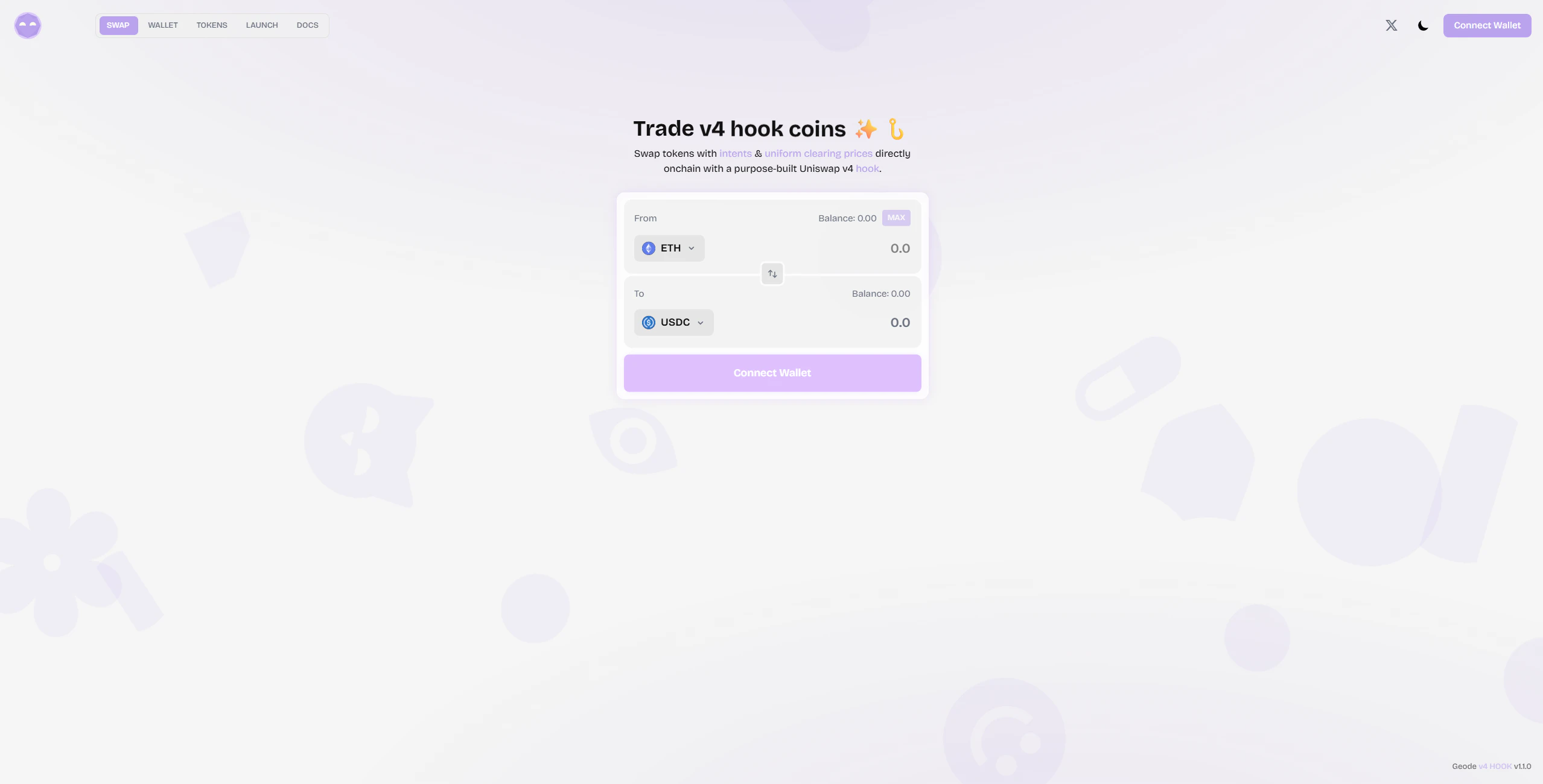 ## Trading on Geode
Geode has two trading paths: **direct swaps** (instant execution) and **intent-based swaps** (batch settlement via the hook). The UI supports both via a "Hook Mode" toggle in swap settings.
### Direct Swap (Standard Path)
For standard pools, this works exactly like any Uniswap v4 swap. For curve pools, the hook handles the swap directly via the bonding curve — no AMM liquidity needed.
Connect your Ethereum wallet (MetaMask, WalletConnect, Coinbase, or any standard wallet) to the Geode app at [geode.ag](https://geode.ag).
Choose your input and output tokens from the token selector. Any token with a Geode-configured pool is available.
Enter your amount, review the quote, and confirm the transaction in your wallet. The swap executes on-chain and you receive tokens immediately.
**Direct swap fee**: Direct swaps through Geode-configured pools pay a 0.3% fee on curve pools (split three ways: 1/3 to the curve reserve, 1/3 to the protocol treasury, 1/3 to the surplus pool). Standard pools charge a configurable fee split between treasury and surplus.
### Intent-Based Swap (Hook Mode)
Geode's execution advantage. Instead of swapping immediately, you sign an intent that gets settled in a batch at a uniform clearing price — no MEV, no sandwich attacks.
In the swap interface, open **Settings** and toggle **Hook Mode** on. This switches from direct routing to intent-based routing.
Enter the tokens and amount you want to swap. Set your slippage tolerance — this becomes your `minAmountOut` (the worst price you'll accept).
Click "Swap" and sign the Permit2 message in your wallet. This is a gasless signature — no on-chain transaction yet.
The signed message authorizes the settler to pull your tokens and execute the trade at the clearing price if your limit price is met.
A permissionless settler collects your intent (along with others), calls `geodeSettleBatch()` on-chain, and your trade executes at the batch's uniform clearing price.
You receive your output tokens directly to your wallet. A small settlement fee (default 0.1%) is deducted from your input before routing.
**Intent signing**: When you sign a Permit2 intent, you authorize the settler to transfer your input tokens. The intent includes a deadline — after it passes, the signature becomes invalid and your tokens cannot be moved.
## Launching a Hook Coin
Geode’s launchpad lets anyone deploy a new hook coin with a permanent bonding curve (Geocurve) — no upfront liquidity required. The full supply is pre-minted to the hook; buying dispenses tokens from the reserve, selling absorbs them back. The curve is the permanent primary market for your token.
Navigate to the **Launch** tab in the Geode app. Connect your wallet if you haven't already.
Provide the token name, symbol, and supply. Set the virtual reserves that determine the starting price and curve shape.
The starting price is `virtualEthReserve / virtualTokenReserve`.
Submit the transaction. The `GeodeFactory` contract deploys your ERC20 token, mints the full supply to the hook contract, initializes the v4 pool as an empty shell, and activates the permanent bonding curve — all in one transaction.
Your token is immediately tradeable via both direct swaps and intent-based batches.
The Geocurve is your token’s permanent primary market. As buyers purchase tokens, a portion of the 0.3% swap fee is added to the curve’s ETH reserve, permanently increasing the floor price. As your token gains traction, secondary pools may emerge — the spread between curve price and market price becomes the trading game.
**Deployer royalty**: Token deployers earn a configurable share of the surplus generated by trading activity on their pool (capped at 50%).
## What's Next?
Deep dive into the settlement flow, clearing price algorithm, and Uniswap v4 hook architecture.
Understand the GeodeIntent struct, Permit2 signing, and replay protection.
Learn how the bonding curve works, the spread game, and pricing math.
The 3-way fee split, surplus management, settler rewards, and wash trade resistance.
## Trading on Geode
Geode has two trading paths: **direct swaps** (instant execution) and **intent-based swaps** (batch settlement via the hook). The UI supports both via a "Hook Mode" toggle in swap settings.
### Direct Swap (Standard Path)
For standard pools, this works exactly like any Uniswap v4 swap. For curve pools, the hook handles the swap directly via the bonding curve — no AMM liquidity needed.
Connect your Ethereum wallet (MetaMask, WalletConnect, Coinbase, or any standard wallet) to the Geode app at [geode.ag](https://geode.ag).
Choose your input and output tokens from the token selector. Any token with a Geode-configured pool is available.
Enter your amount, review the quote, and confirm the transaction in your wallet. The swap executes on-chain and you receive tokens immediately.
**Direct swap fee**: Direct swaps through Geode-configured pools pay a 0.3% fee on curve pools (split three ways: 1/3 to the curve reserve, 1/3 to the protocol treasury, 1/3 to the surplus pool). Standard pools charge a configurable fee split between treasury and surplus.
### Intent-Based Swap (Hook Mode)
Geode's execution advantage. Instead of swapping immediately, you sign an intent that gets settled in a batch at a uniform clearing price — no MEV, no sandwich attacks.
In the swap interface, open **Settings** and toggle **Hook Mode** on. This switches from direct routing to intent-based routing.
Enter the tokens and amount you want to swap. Set your slippage tolerance — this becomes your `minAmountOut` (the worst price you'll accept).
Click "Swap" and sign the Permit2 message in your wallet. This is a gasless signature — no on-chain transaction yet.
The signed message authorizes the settler to pull your tokens and execute the trade at the clearing price if your limit price is met.
A permissionless settler collects your intent (along with others), calls `geodeSettleBatch()` on-chain, and your trade executes at the batch's uniform clearing price.
You receive your output tokens directly to your wallet. A small settlement fee (default 0.1%) is deducted from your input before routing.
**Intent signing**: When you sign a Permit2 intent, you authorize the settler to transfer your input tokens. The intent includes a deadline — after it passes, the signature becomes invalid and your tokens cannot be moved.
## Launching a Hook Coin
Geode’s launchpad lets anyone deploy a new hook coin with a permanent bonding curve (Geocurve) — no upfront liquidity required. The full supply is pre-minted to the hook; buying dispenses tokens from the reserve, selling absorbs them back. The curve is the permanent primary market for your token.
Navigate to the **Launch** tab in the Geode app. Connect your wallet if you haven't already.
Provide the token name, symbol, and supply. Set the virtual reserves that determine the starting price and curve shape.
The starting price is `virtualEthReserve / virtualTokenReserve`.
Submit the transaction. The `GeodeFactory` contract deploys your ERC20 token, mints the full supply to the hook contract, initializes the v4 pool as an empty shell, and activates the permanent bonding curve — all in one transaction.
Your token is immediately tradeable via both direct swaps and intent-based batches.
The Geocurve is your token’s permanent primary market. As buyers purchase tokens, a portion of the 0.3% swap fee is added to the curve’s ETH reserve, permanently increasing the floor price. As your token gains traction, secondary pools may emerge — the spread between curve price and market price becomes the trading game.
**Deployer royalty**: Token deployers earn a configurable share of the surplus generated by trading activity on their pool (capped at 50%).
## What's Next?
Deep dive into the settlement flow, clearing price algorithm, and Uniswap v4 hook architecture.
Understand the GeodeIntent struct, Permit2 signing, and replay protection.
Learn how the bonding curve works, the spread game, and pricing math.
The 3-way fee split, surplus management, settler rewards, and wash trade resistance.